
To get the detailed instructions about installing the app CLICK HERE.
Remember, you only need to download the app if you are going to complete the study in the ExpiWell app. If you are going to complete the study by receiving email reminders and going to a website, you do not need this app.
If you are able to log into the app, there is a help centre if you press the balloon icon. This will open up the menu from the left side.
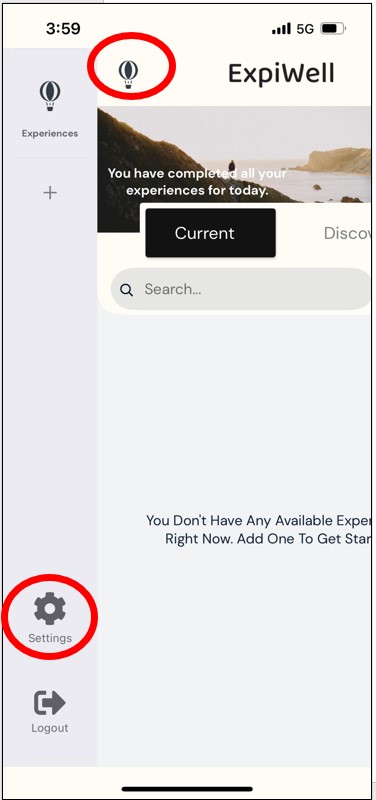
Press the “Settings” icon that looks like a gear.
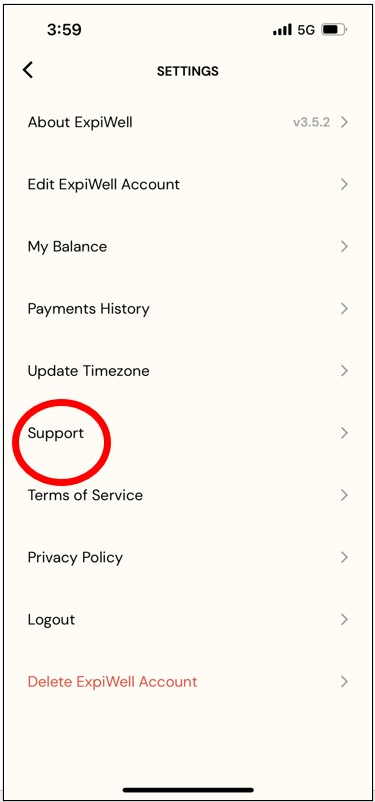
Click “Support” to open a new menu that has several topics including a Frequently Asked Questions folder.
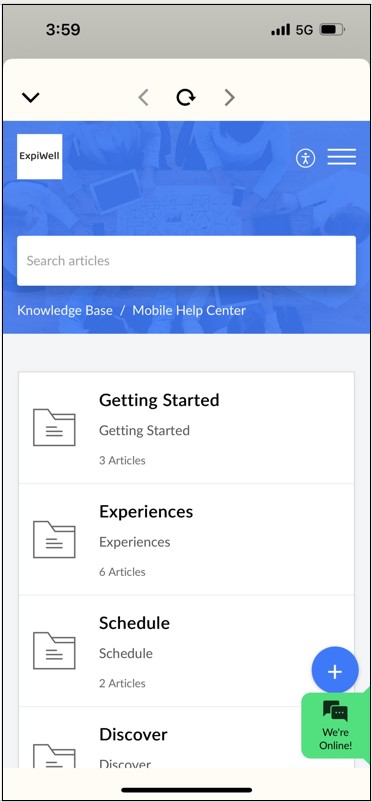
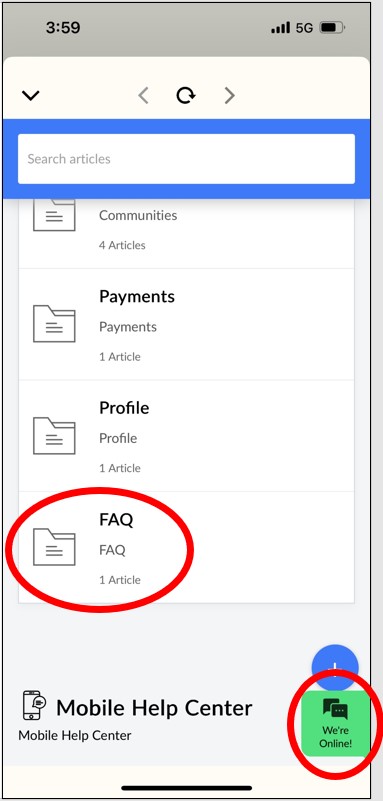
Click FAQ for Frequently Asked Questions. You can also click the “We’re Online” tab to get help from someone from ExpiWell
PLEASE NOTE:
If at any time you are having particular difficulties or have a question about the app, please contact us using the form on the page linked below.
We are always happy to help answer any questions or troubleshoot any problem you are having, we will respond to your message as soon as possible via email.
 ELM Home